Research
Research with evidence
Explore markets, competitors and product questions with cited sources, saved findings and clear next steps.
Explore research
Research. Design. Brand. Build. Ship.
Your AI Product Operating System.
From your first idea to an editable design and working code.
Bring research, strategy and product creation into one workspace.
Start with the Free plan. Upgrade when you need more.
Inside Brinlo
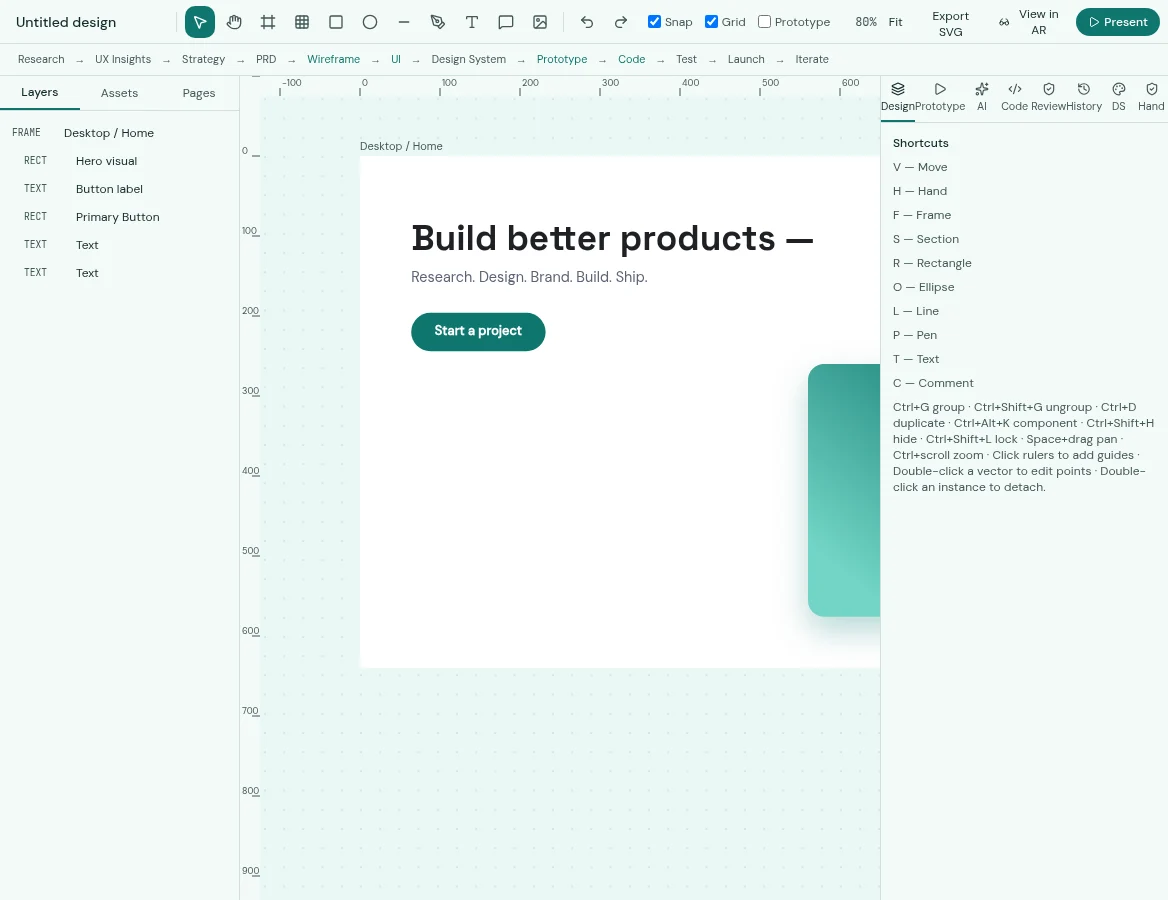
Captured from the Brinlo application. Canvas starter document shown.
One connected workspace
Research
Explore markets, competitors and product questions with cited sources, saved findings and clear next steps.
Explore researchStrategy
Turn your idea into product requirements, personas, user journeys and a focused plan.
Explore strategyDesign
Explore UI directions, edit frames and layers, and work with reusable components and design tokens.
Explore designPrototype
Connect screens in the canvas, present your flow, or explore spatial concepts in the AR / VR Studio.
Explore prototypeDevelopment
Generate and edit website code, select elements for targeted changes and preview desktop, tablet and mobile layouts.
Explore developmentDelivery
Keep layers, tokens, specs and notes together. Review readiness and export supported assets and code for your next step.
Explore deliveryFrom idea to next step
Research your audience, collect sources and define the problem.
Draft requirements, user flows and your product direction.
Explore editable designs, components and live website code.
Check the work, prepare handoff and export for your release process.
Design that stays yours
Browse original components, adapt your brand colour, copy code and take a component into Build Studio. Keep design decisions close to the work.
Explore the component library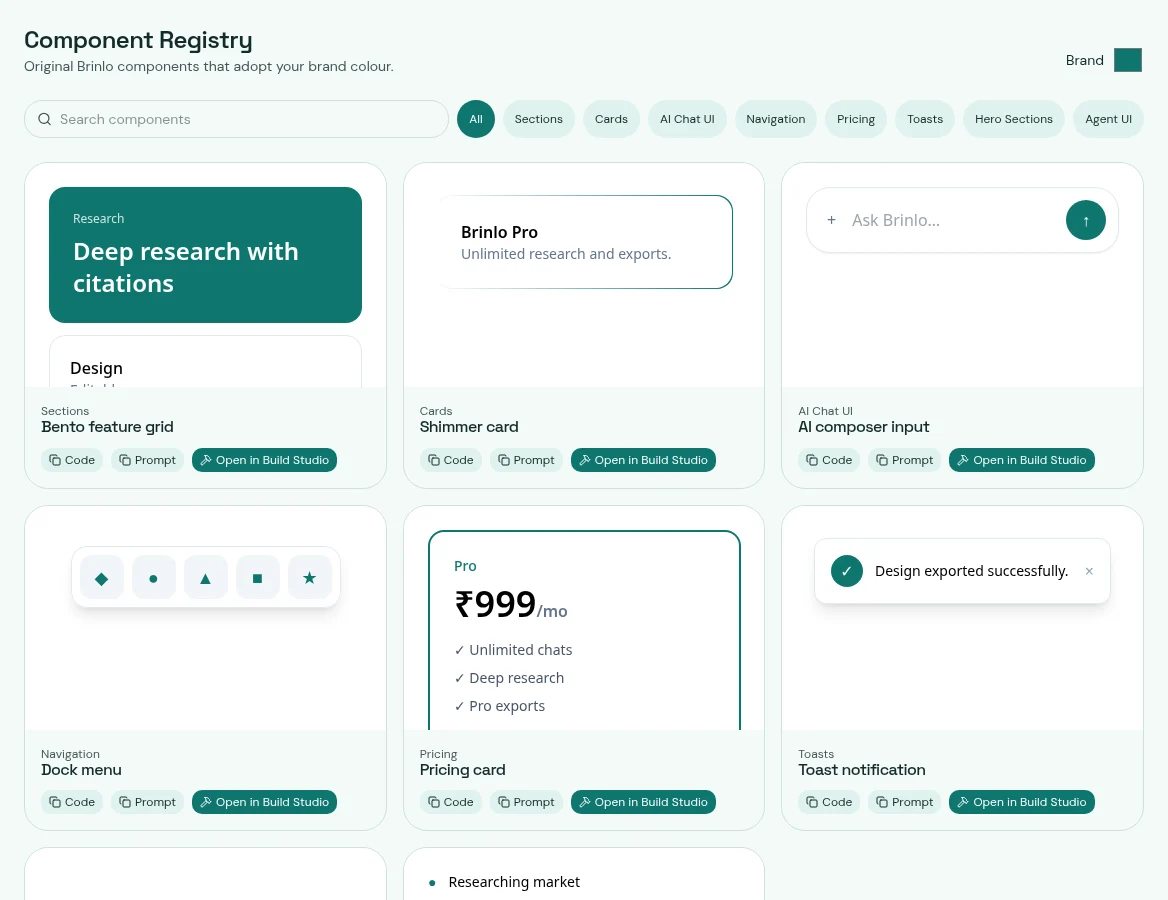
Your next product starts here
Generating opens the Brinlo workspace — sign in and your prompt runs automatically.
Who it's for
Explore a problem, test your assumptions and turn an idea into a clearer product plan.
Move from research to editable screens, reusable components, prototypes and design handoff.
Keep requirements, project context, research artifacts and implementation work connected.
Plans that grow with you
₹0 / month
Explore the full Brinlo workspace with monthly limits.
₹999 / month
For founders, PMs and designers shipping continuously.
₹2,999 / month
For agencies and startup teams working in one workspace.
Custom
For companies with security, scale and compliance needs.
Monthly INR prices shown. Existing USD and annual options are available on the pricing and checkout pages.
A little more clarity
Brinlo is an AI Product Operating System. It brings research, product strategy, design, prototyping and code workflows into one workspace, with projects and editable deliverables.
Yes. The Free plan includes limited monthly research, AI generations, uploads, projects and artifacts. You can compare the current allowances on the pricing page.
Yes. Research and product documents remain editable artifacts. Supported design directions can be opened as editable canvas layers, and Build Studio includes code editing and a live preview.
No. AI outputs can be incomplete or inaccurate. Review source evidence, designs, generated code and accessibility before using them in a live product.
Exports depend on the tool and plan. Research supports Markdown and PDF-print; the canvas includes supported image, code and token exports; Build Studio offers HTML and Next.js project downloads. Native design formats are only available where explicitly supported.
Existing subscriptions are billed in INR through Razorpay in India and in USD through Paddle internationally. Review your plan, billing period and applicable terms before checkout.
All in Brinlo
Bring your next idea. Give it somewhere to grow.
Get started free